PHOTO GUIDE
Best Photo for Burning Bridges AI: A Clear Checklist
Choose the best photo for Burning Bridges AI with a practical checklist for framing, lighting, face visibility, second references, file formats, and permissions.
Last updated: 2026-10-15
Quick answer: The best photo for Burning Bridges AI shows one adult from the chest up, facing the camera in soft, even light. Keep both eyes and the full face visible, use no heavy filter, and remove sunglasses, masks, hair, or hands that cover important features.
What does a good source photo look like?
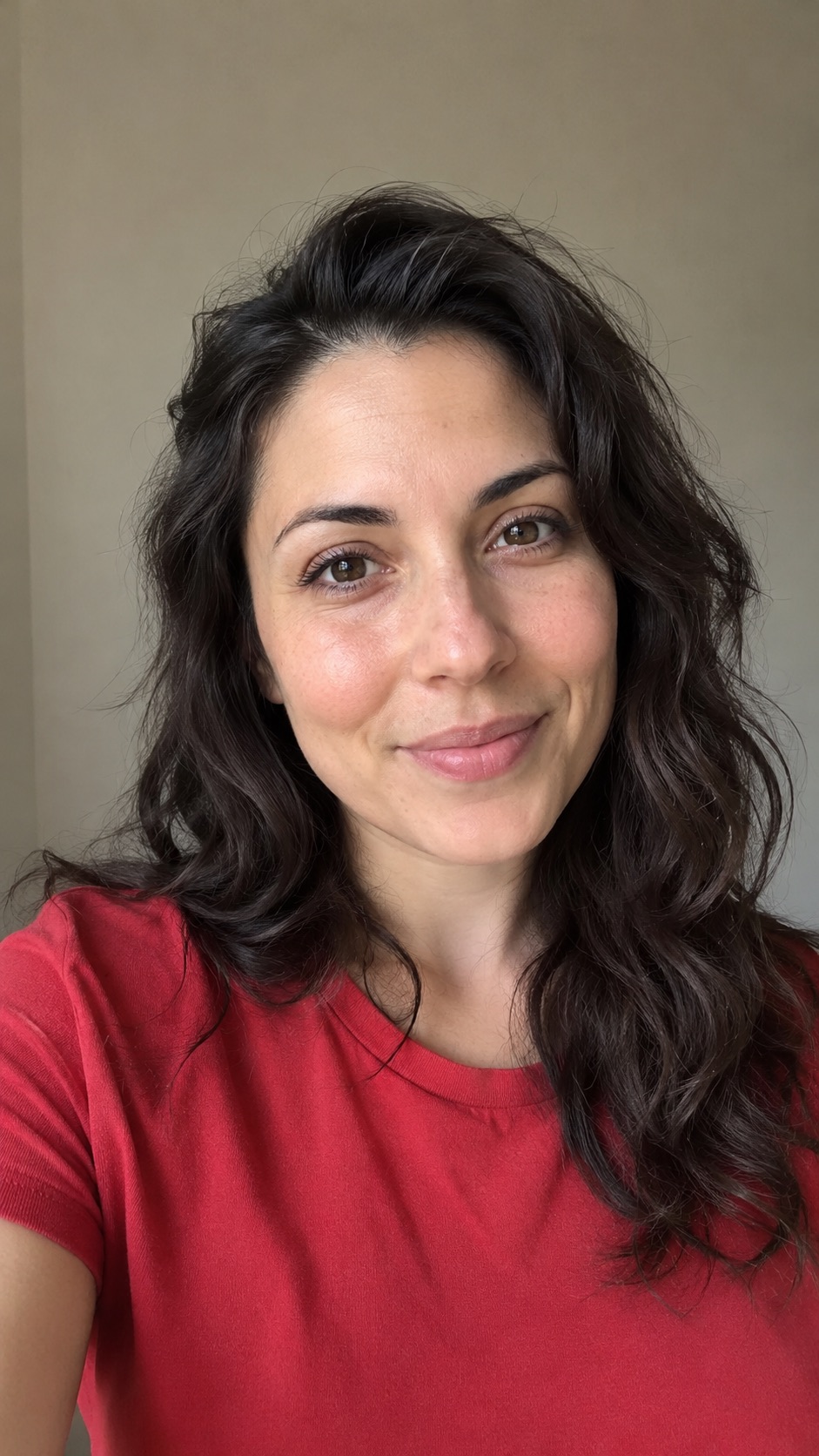
The example above has the traits the model can read most easily: one large face, a near-front angle, visible eyes, even light, natural skin detail, and no distracting people in the background. You do not need a studio portrait; a sharp phone photo at eye level is enough.
The best-photo checklist
- One adult is clearly visible. Avoid group photos and background faces.
- The face fills a useful part of the frame. Chest-up or waist-up usually gives enough identity and clothing detail.
- The person looks toward the camera. A small angle is fine; a strong side profile hides too much information.
- Light is even across the face. Window light or open shade is better than a harsh spotlight from one side.
- Eyes, nose, mouth, and hairline are visible. Remove sunglasses, masks, large hats, or hair covering the eyes.
- The image is sharp and natural. Avoid motion blur, screenshots with compression, and heavy beauty filters.
Should I use a selfie or a full-body photo?
A chest-up portrait is the safest starting point because the face is large enough to guide identity and the image still shows part of the outfit. A full-body photo can work when it is high resolution, but a distant face gives the model less usable detail.
A selfie is fine if the lens is not extremely close and the lighting is even. Hold the camera around eye level and leave a little space around the head and shoulders.
Should I upload one photo or two?
Start with one strong photo. Add a second only when it supplies consistent information the first image does not—another clear angle of the same face, or a better view of the same outfit.
Do not combine photos with very different ages, hairstyles, filters, facial hair, or clothing. The model may blend the references instead of choosing one.
Which photo problems cause the most failures?
The face is too small
Crop closer so the face is easy to inspect. A large file does not help if the person occupies only a tiny part of it.
The face is partly covered
Sunglasses, masks, hands, microphones, deep shadows, and hair over the eyes hide the features the model needs to preserve.
Several people are visible
The model may not know which person is the lead. Use a solo portrait or crop out other faces. Do not crop so tightly that part of the main face disappears.
The two references disagree
If the second photo has a different hairstyle, age, outfit, or filter, remove it and generate from the stronger single image.
What file types and sizes can I upload?
The generator accepts JPG, PNG, WebP, HEIC, and HEIF files up to 10 MB each. One or two files can be uploaded. A sharp image with honest detail matters more than an oversized file or aggressive upscaling.
Can I use another person's photo?
Only use a photo when you have permission from the person shown. The current flow is designed for adults. Do not use a person's image to mislead viewers, impersonate them, or suggest they took part in real footage.
Frequently asked questions
Can I use a photo with glasses?
Clear prescription glasses may work, but reflections can hide the eyes. Sunglasses are a poor reference because the model cannot see the eye area.
Can I use a screenshot from a video?
Only if it is sharp, evenly lit, and free of motion blur or interface overlays. A direct photo usually preserves more facial detail.
Does the background matter?
The generator replaces the scene, so the background is less important than the face. A simple background still helps the model separate the lead from other people and objects.
Will a higher-resolution image always give a better result?
No. Sharpness, face size, lighting, and visibility matter more than the file's raw pixel count.
What should I do if the preview looks wrong?
Return to the upload step and try one clearer, more front-facing image. Do that before paying for the complete video.
Use your strongest photo first
Open the generator and create a private preview. If you want the whole workflow first, read how to make a Burning Bridges AI video.